
Buying a laptop for college or school can feel overwhelming — there are hundreds of models, confusing spec sheets, and sales staff pushing whatever has the best margin. Here's a no-nonsense guide to what actually matters for a student laptop, so you don't overspend or end up with something that struggles by your second semester.
RAM: 16GB Is the New Minimum
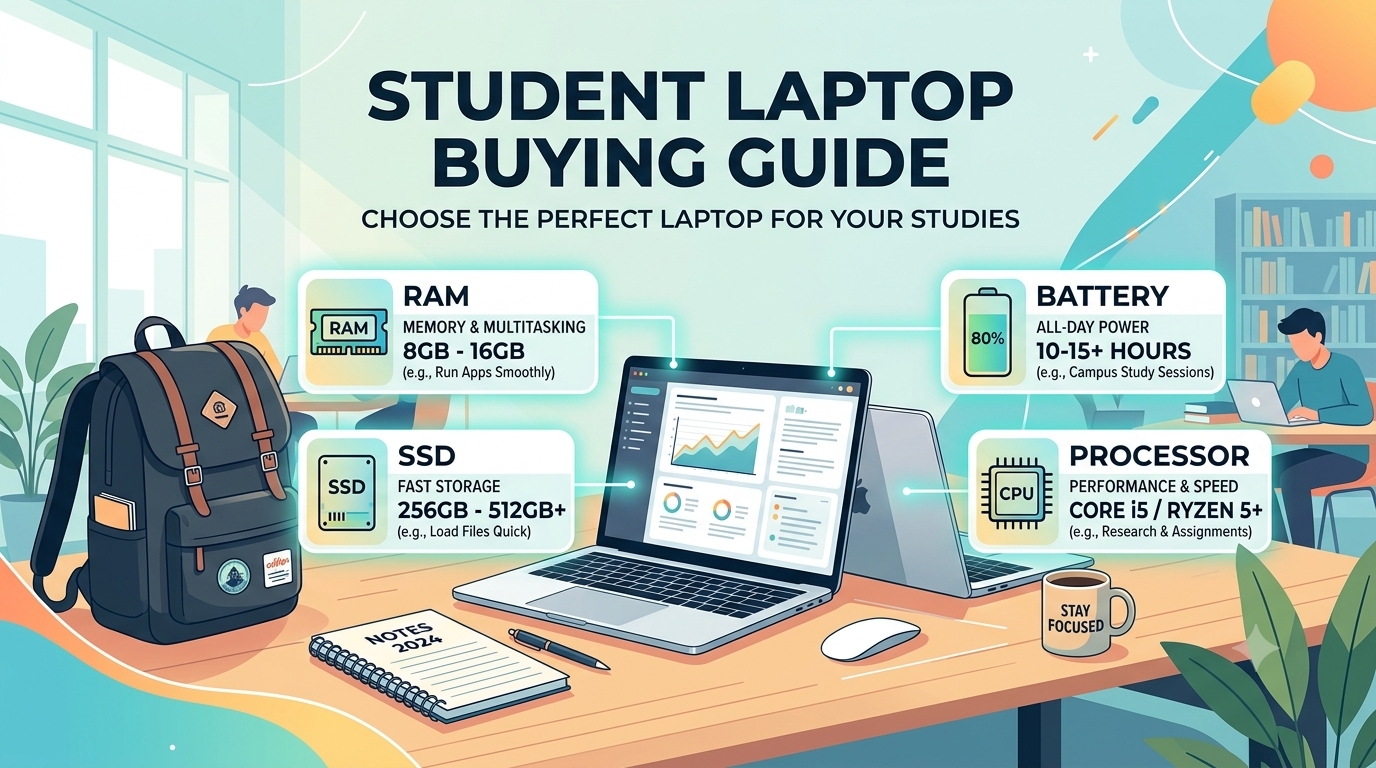
A few years ago, 8GB of RAM was considered enough for basic student use. Not anymore. With Chrome, Zoom, a document editor, and a few background apps running at once, 8GB fills up fast and the laptop starts to feel sluggish. 16GB should be your starting point for any laptop bought today — it's the difference between smooth multitasking and constant lag when you have multiple tabs and apps open.
Storage: Go SSD, Skip HDD Entirely
Never buy a laptop with a traditional hard drive (HDD) in 2026 — it will feel outdated the moment you turn it on. An SSD (Solid State Drive) loads programs and boots up dramatically faster. For storage size, 512GB is a comfortable amount for most students; go higher only if you're storing large design files, videos, or software for engineering/CAD work.
Battery Life: Aim for a Full Day, Not Just a Few Hours
You don't want to be hunting for a charging point between lectures. Look for laptops that genuinely last 8+ hours of real-world use (not just the marketing number on the box, which is usually tested under ideal conditions). Several current laptops now comfortably cross 12+ hours, so this is achievable even outside the premium price range.
Processor: Match It to Your Course, Not the Hype
You don't need the most powerful processor available — you need one that matches what you'll actually run.
Arts, commerce, general coursework: A mid-range processor (Intel Core i5 or equivalent AMD Ryzen 5) is more than enough for browsing, documents, and video calls.
Engineering, coding, data science: You'll want a stronger processor and ideally 16GB+ RAM, since you'll be running code editors, simulations, or heavier software alongside everything else.
Design or video editing coursework: Look for a laptop with a dedicated graphics card (GPU), not just integrated graphics — this makes a real difference for rendering and editing speed.
Weight and Portability: You'll Carry It Every Day
If you're walking around campus with your laptop in a bag daily, weight matters more than you'd think. A 13-15 inch laptop under 1.5 kg is a sweet spot — light enough to not strain your bag, but still large enough to work comfortably on.
Windows vs. Mac vs. Chromebook — Which One Fits You?
This genuinely depends on your course and what software you'll need:
Windows — the safest, most flexible choice. Widest software compatibility, works with almost anything your college requires, and available across every budget range.
Mac — excellent battery life, strong build quality, and a smooth experience for writing, browsing, and light coding. Not ideal if your course specifically requires Windows-only software or a dedicated Nvidia graphics card (common in some engineering and gaming-related courses).
Chromebook — the budget-friendly option, best suited for students who mostly need web browsing, Google Docs, and basic note-taking. Not a good fit if you need to install specific desktop software for your course.
Keyboard and Screen — Don't Skip These in Person
If at all possible, try the laptop in a store before buying online. A keyboard that feels uncomfortable will bother you every single day once you're typing assignments and notes on it for hours. Similarly, check the screen isn't too dim or washed out — you'll be staring at it for years.
What to Actually Prioritize by Budget
Budget Level | What You Get | Best For |
|---|---|---|
Budget | 8-16GB RAM, basic processor, decent battery | Browsing, docs, note-taking, light coursework |
Mid-range | 16GB RAM, solid processor, all-day battery, good screen | Most college majors, comfortable multitasking |
Premium | 16-32GB RAM, dedicated GPU, premium build, best battery | Engineering, design, coding-heavy or GPU-heavy coursework |
Quick Checklist Before You Buy
16GB RAM minimum — don't settle for less
SSD storage, 512GB or more
8+ hours of real battery life
Under 1.5 kg if you're carrying it daily
Match the processor and OS to your actual course needs, not what a salesperson pushes
Try the keyboard and screen in person if you can
The Bottom Line
You don't need the most expensive laptop on the shelf — you need the right one for your course. A general arts or commerce student and an engineering student have very different needs, even at the same budget. Figure out what software you'll actually run day-to-day, and buy for that — not for the spec sheet that sounds most impressive.